> For the complete documentation index, see [llms.txt](https://jeff-world.gitbook.io/jeff-world/llms.txt). Markdown versions of documentation pages are available by appending `.md` to page URLs; this page is available as [Markdown](https://jeff-world.gitbook.io/jeff-world/introduction/how-to-play-jeff-world/having-trouble-entering-the-world.md).
# Having trouble entering the world?
If you're having issues launching JEFF WORLD after logging in, try the following steps:
## **1. Launcher is installed, but the JEFF WORLD won’t start from the website?**
### No worries — you can launch it directly from your desktop:
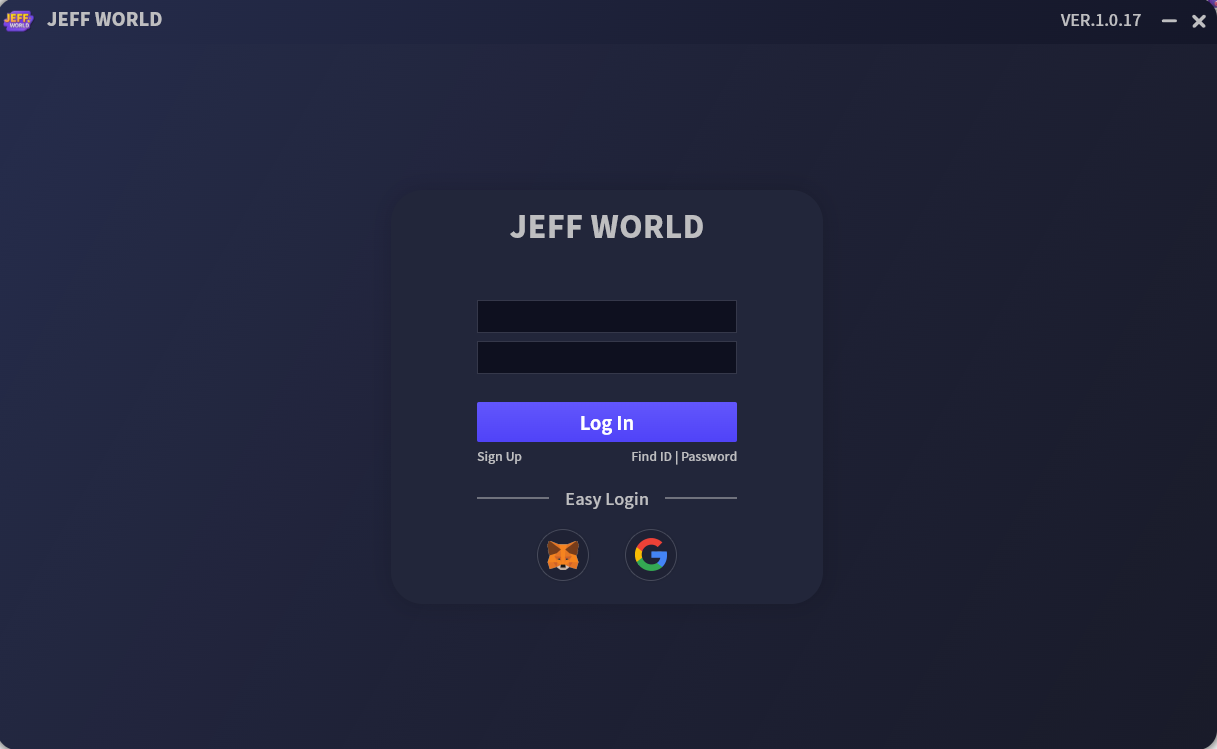
* Click the `[jeff_launcher]` shortcut on your desktop to run the launcher directly.
* Then log in as usual inside the launcher.
### **No shortcut found?**
* Navigate to the following folder (or the one where you installed the launcher):\
**`C:\JEFF\jeff_launcher\1.0.17\`**
* Double-click `jeff_launcher.exe` to start the launcher.
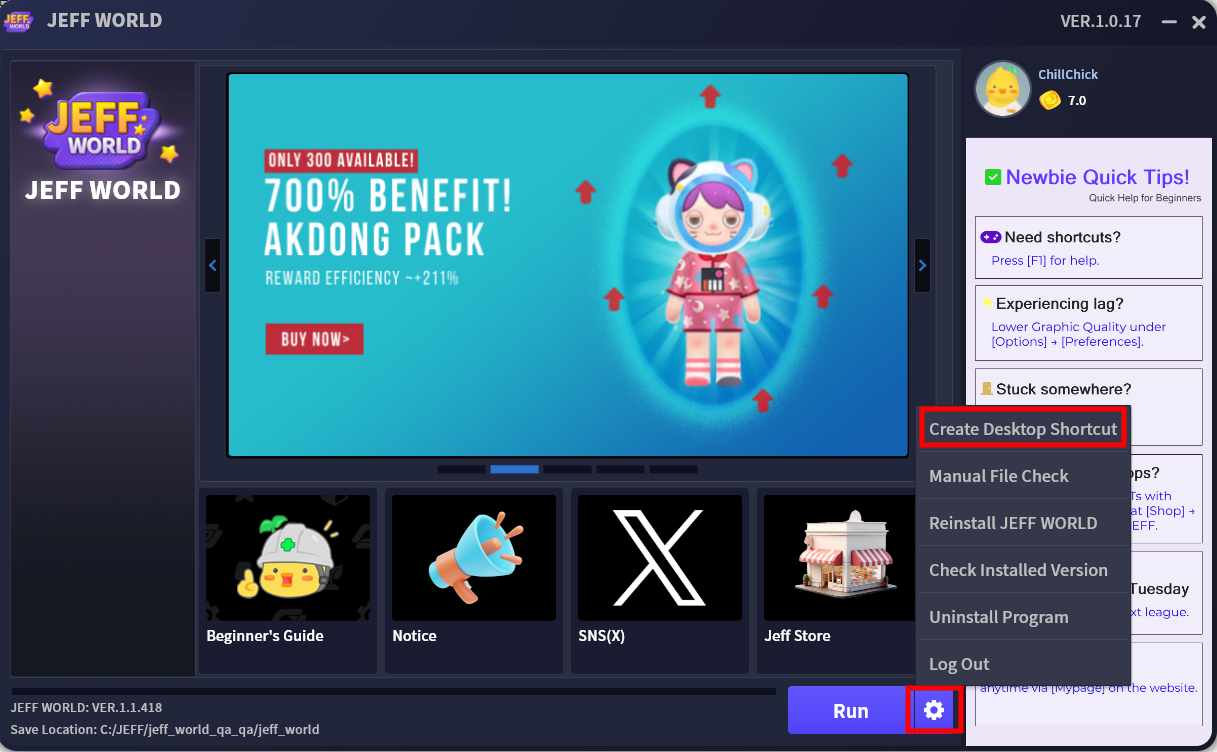
* Then log in and click the ⚙️ **Gear icon > Create Desktop Shortcut** to make future access easier.
## **2. Can’t download the launcher?**
[**\[Click here\]**](https://jeff.hscdn.com/launcher/setup/jeff_launcher_install_1.0.18.exe) to manually download and install the JEFF Launcher.
If the download file is not working, **right-click** on the `[jeff_launcher_install_]` file and **run as administrator** to install.
> The latest version of the launcher is **VER.1.0.18**.
## **3. Trouble installing or launching the game client after opening the launcher?**
If your launcher opens but the JEFF WORLD client doesn’t install or run correctly, try the following:
### **The progress bar isn’t moving?**
* You may not have enough free space.
* Please ensure you have at least **5GB** of available storage.
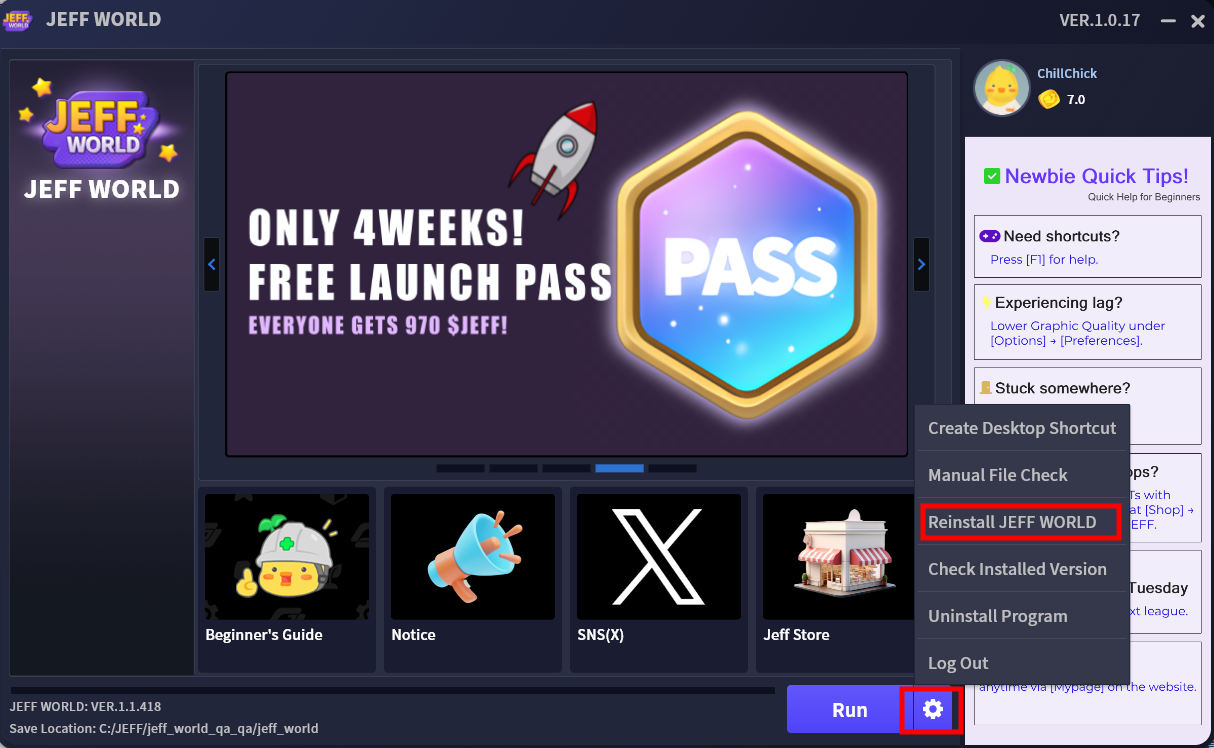
* Then click the ⚙️ **Gear icon > Reinstall JEFF WORLD** in the launcher and try again.
### **The client is already installed, but the game doesn’t launch?**
* This may happen if the world closed improperly or certain files are still running in the background.
* Simply **restart your computer** and try launching the game again.
 `[jeff_launcher]` shortcut on your desktop to run the launcher directly.
* Then log in as usual inside the launcher.
`[jeff_launcher]` shortcut on your desktop to run the launcher directly.
* Then log in as usual inside the launcher.